

Battle.net Moldova Balance Top-Up in UAH — Fast, Legal & Affordable

Battle.net Moldova Balance Top-Up in UAH — Fast, Legal & Affordable

🇲🇩 Moldova Region · UAH Balance Top-Up Battle.net Moldova Balance Top-Up in UAH — Fast, Legal &am..
0.03€
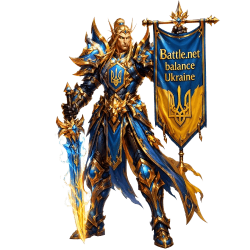
Battle.net Ukraine Balance Top-Up in UAH — Fast, Legal & Cheapest on the Market

Battle.net Ukraine Balance Top-Up in UAH — Fast, Legal & Cheapest on the Market

🇺🇦 Ukraine Region · UAH Only Battle.net Ukraine Balance Top-Up in UAH — Fast, Legal & Cheapes..
0.03€
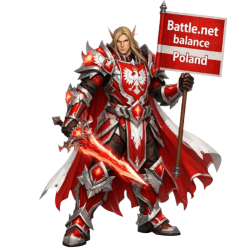
Battle.net Poland Balance Top Up — Buy PLN Funds at Unbeatable Prices

Battle.net Poland Balance Top Up — Buy PLN Funds at Unbeatable Prices

🇵🇱 Poland Region · PLN Balance Only Battle.net Poland Balance Top Up — Buy PLN Funds at Unbeatabl..

0.35€
Add GBP Balance to Your Battle.net UK Account — Fast, Safe & Below Market Price

Add GBP Balance to Your Battle.net UK Account — Fast, Safe & Below Market Price

🇬🇧 UK Region · GBP (£) · British Pound Sterling Add GBP Balance to Your Battle.net UK Account — F..
1.35€
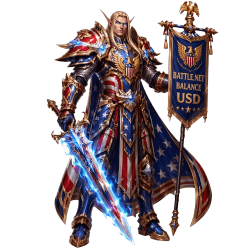
Battle.net Balance Top-Up — Add USD to Your US Account Fast & Safely

Battle.net Balance Top-Up — Add USD to Your US Account Fast & Safely

🇺🇸 Battle.net US Region · USD ($) · US Dollar Battle.net Balance Top-Up — Add USD to Your US Acco..

1.05€
Battle.net Brazil Balance Top-Up — Add BRL (R$) to Your Account Fast & Safely

Battle.net Brazil Balance Top-Up — Add BRL (R$) to Your Account Fast & Safely

🇧🇷 Brazil Region · BRL · Brazilian Real (R$) Battle.net Brazil Balance Top-Up — Add BRL (R$) to Y..

0.21€
Battle.net Serbia Balance Top-Up in Serbian Dinar (RSD) — Fast, Safe & Competitively Priced

Battle.net Serbia Balance Top-Up in Serbian Dinar (RSD) — Fast, Safe & Competitively Priced

🇷🇸 Serbia Region · RSD · Serbian Dinar Battle.net Serbia Balance Top-Up in Serbian Dinar (RSD) — ..
0.01€
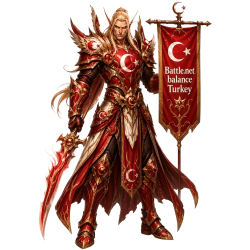
Battle.net Turkey Balance Top-Up — Add Turkish Lira (TRY / ₺) to Your Account

Battle.net Turkey Balance Top-Up — Add Turkish Lira (TRY / ₺) to Your Account

🇹🇷 Turkey Region · TRY · Turkish Lira Battle.net Turkey Balance Top-Up — Add Turkish Lira (TRY / ..

0.03€
Buy Battle.net EU Balance in Euro (EUR) — Fast, Safe & Cheaper Than Anyone Else

Buy Battle.net EU Balance in Euro (EUR) — Fast, Safe & Cheaper Than Anyone Else

🇪🇺 EU Region · Euro (EUR / €) Buy Battle.net EU Balance in Euro (EUR) — Fast, Safe & Cheaper ..

1.20€
Showing 1 to 9 of 9 (1 Pages)

Balance


Battle.net Balance – Top Up for Every Region and Currency

Battle.net Balance is the official in-account currency for Blizzard's Battle.net platform, accepted in the official Battle.net Shop for games, expansions, in-game content, and character services. RaidLine tops up Balance directly on your account via one of three official methods — Remote Access (recommended, no credentials), Gift to Friend, or Account Access — processed in 2–3 minutes, and available for every Battle.net server region and currency worldwide.

⚡ 2–3 min remote top-up🌍 All regions & currencies⭐ Trustpilot 4.9 / 5🔒 No credentials required🎮 Any amount, any currency

What Battle.net Balance Can Be Spent On

Balance deposited on a Battle.net account is accepted as payment for virtually every item in the official Blizzard Shop. The spending scope is broad — spanning all games and live services on the platform.

✔ Accepted in the Battle.net Shop
  • Games and expansions — World of Warcraft (WoW Retail / Classic), Diablo IV, Overwatch 2, Hearthstone, and all Blizzard titles
  • In-game currencies — Overwatch Coins, Diablo IV Platinum, Hearthstone card packs
  • WoW in-game shop — mounts, pets, character boosts, transmog sets
  • Account services — name change, faction transfer, realm transfer, race change
  • WoW Tokens (in regions where Battle.net Shop purchase is supported)
  • Cosmetic bundles and seasonal content across all Blizzard games
  • Any item currently listed for sale in the official Battle.net Shop
✗ Not accepted — platform restriction
  • World of Warcraft monthly subscription — Blizzard does not permit Balance for recurring payments
  • Any other recurring subscription on the Battle.net platform
  • Withdrawal to bank account, PayPal, or any external payment method
  • Transfer to another Battle.net account
For prepaid WoW game time → Battle.net Time Cards

How Balance Is Delivered – Three Methods

All top-ups are performed through official Blizzard payment channels. The available delivery method depends on the currency and account region. Detailed availability is listed on each individual product page.

Method How It Works Speed All Currencies Safety
🟢 Remote Access
Recommended
A manager connects to your device via Parsec or a comparable remote-access application. The top-up is completed through Blizzard's official payment interface. No account credentials are ever shared. 2–3 min ✔ Yes 100% safe
No ToS risk
🟡 Gift to Friend Balance is sent through Blizzard's official gift function. First order: Blizzard requires a 72-hour wait after the friend request before any gift can be sent — this is a mandatory Blizzard platform rule. From the second order onwards (if you remain friends): 1–2 minutes. 1–2 min
72 h first time
⚠ Not all Safe
No ToS risk
🔴 Account Access
Not recommended
The buyer shares login credentials with the manager, who logs in and makes the purchase directly. Fastest delivery, but sharing credentials may violate Blizzard's Terms of Service. Proceed at your own risk.
🛡️ Extra safety option: for added security, our manager can connect via VPN using an IP address matching your account's registered country or the country you normally play from. Let the manager know this detail before the session starts.
1–2 min ✔ Yes ⚠ ToS risk
Buyer's responsibility
💡 Which method is available for your currency? The delivery options for each specific currency and region are listed on the individual product page. If you are unsure, ask a manager before placing an order.

Regions and Currencies Covered

RaidLine stocks top-ups for all three Battle.net server regions. Each region supports multiple local currencies. If your specific currency is not listed as a separate product, contact a manager — we can top up any Battle.net-supported currency.

Server Region Accounts Covered Currency Examples Available Methods
EU Europe All EU/EEA accounts and CIS/RU accounts (both share Blizzard's European servers) EUR, GBP, UAH, PLN, CZK, RON, RUB and others Remote Access, Gift, Account Access
AM Americas US, Latin American, and Oceania accounts USD, BRL, MXN, ARS, CLP, COP, AUD and others Remote Access, Gift, Account Access
AS Asia Korea, Taiwan, and other Asia-region accounts KRW, TWD and others Remote Access, Gift, Account Access
Don't see your currency? RaidLine can top up Battle.net Balance in any currency that Blizzard supports. Contact our managers and we will arrange a top-up in your account's currency at your preferred amount.

Browse by Region

EU
Battle.net Balance
EU & CIS Region
  • ✔ EU/EEA server accounts
  • ✔ CIS/RU server accounts
  • ✔ EUR, GBP, UAH & more
  • ✔ All amounts available
View Products
AM
Battle.net Balance
Americas Region
  • ✔ US, LATAM, Oceania
  • ✔ USD, BRL, MXN & more
  • ✔ Any amount
  • ✔ All delivery methods
View Products
AS
Battle.net Balance
Asia Region
  • ✔ Korea & Taiwan accounts
  • ✔ KRW, TWD & more
  • ✔ Any amount
  • ✔ All delivery methods
View Products
ANY
Custom Top-Up
Any Currency
  • ✔ Any Battle.net currency
  • ✔ Any amount you need
  • ✔ Contact a manager
  • ✔ Arranged individually
Contact Manager

How to Top Up Battle.net Balance

The process differs slightly depending on the chosen delivery method. All top-ups use official Blizzard payment infrastructure.

1
Identify your Battle.net account region and currency.Open Battle.net Account Management and note your region (EU, Americas, or Asia) and the currency your account uses. This determines which product to select and which delivery methods are available.
2
Select the product for your region and choose an amount.Open the relevant regional product page and specify the amount you wish to add. Minimum amounts vary by currency — the minimum for your currency is shown on the product page. No fixed denominations apply: you can specify any amount above the minimum.
3
Select delivery method and complete checkout.Choose Remote Access (recommended), Gift to Friend, or Account Access. Pay via Visa, Mastercard, PayPal, or USDT cryptocurrency. After payment, contact a RaidLine manager directly to start the top-up process. Contact a manager →
4
Coordinate with the manager for your chosen method.Remote Access: a manager will contact you with instructions to launch Parsec (or a confirmed alternative) and share your screen. Gift: add the manager's Battle.net ID as a friend and wait for the gift confirmation. Account Access: provide credentials as instructed — at your own ToS risk.
5
Confirm the Balance has appeared in your account.After we complete the payment, verify the Balance in Battle.net Account Management under Payment Methods → Battle.net Balance. We process the payment instantly on our end, however Blizzard may take anywhere from a few seconds up to 24 hours to credit the amount — this is Blizzard's own internal process which we have no control over. If the status shows as Pending within the first 24 hours, this is completely normal. You will see the payment and Balance in a processing state; the funds will appear automatically once Blizzard complete the transaction. If Balance is still not credited after 24 hours, contact RaidLine support with your order reference.

Account Safety & Terms of Service

🔒 Remote Access and Gift Methods — 100% Safe

The Remote Access method requires no account credentials at any point. The manager sees only your screen during the payment process and interacts solely through the official Blizzard Shop interface. The session is short (2–3 minutes) and leaves no third-party applications installed.

The Gift to Friend method similarly requires no credentials. Balance is sent directly through Blizzard's gifting system using only your Battle.net ID and the friend connection.

⚠️ Account Access — Terms of Service Warning

Sharing Battle.net account credentials with a third party may violate Blizzard's Terms of Service. RaidLine provides this option but does not recommend it. Buyers who select Account Access do so at their own risk and accept full responsibility for any consequences, including potential account restrictions imposed by Blizzard.

RaidLine managers performing Account Access top-ups use only the official Blizzard Shop payment interface and do not access, modify, or record any other account information.

🛡️ Optional VPN protection: to further reduce any risk, our manager can use a VPN connection with an IP address matching your account's registered country or the country from which you normally play. If you would like this option, inform the manager of the relevant country before the session begins.

Why Buy from RaidLine

Trustpilot Rating: 4.9 / 5

Verified customer reviews confirm consistent order handling, accurate top-up amounts, and professional support across all regions.

📅 Operating Since 2015

Over a decade of continuous operation and more than one million Battle.net orders processed across all regions and currencies.

🌍 All Regions, All Currencies

EU, Americas, and Asia regions are all stocked. Any currency Blizzard supports can be arranged on request — not limited to listed products.

🔒 Safe Remote-Access Method

Remote Access top-ups require no credentials and carry no Terms of Service risk. Completed through Blizzard's official payment interface in 2–3 minutes.

🎯 Any Amount, No Fixed Denominations

Top up exactly the amount you need — not limited to fixed card values. Minimum amounts follow Blizzard's per-currency rules; no upper limit beyond the Blizzard account cap.

💳 Multiple Payment Methods

Visa, Mastercard, PayPal, USDT, and more. All payments processed through encrypted gateways.

💸 Want a discount? Pay with USDT — contact a manager before placing your order.

More Battle.net Services on RaidLine

Frequently Asked Questions

What can I buy with Battle.net Balance?
Battle.net Balance is accepted for virtually every purchase in the official Battle.net Shop — including full game titles and expansions, in-game currencies (Overwatch Coins, Diablo IV Platinum, Hearthstone packs), WoW in-game shop items (mounts, pets, character boosts), account services (name change, faction/realm transfer), and WoW Tokens where available. The single exception is recurring subscriptions: Blizzard does not allow Balance to be used for monthly subscription payments on any of their games.
Can I use Battle.net Balance to pay for a WoW subscription?
No — Blizzard does not permit Battle.net Balance to be used for any recurring subscription payment, including the World of Warcraft monthly subscription. This restriction exists at the platform level and applies to all accounts and regions without exception. For prepaid WoW game time, RaidLine offers Battle.net Time Cards — a separate product delivered as a digital code by email. For a full explanation of what Balance can and cannot be used for, see our guide to Battle.net Balance and WoW.
Which regions and currencies are available?
RaidLine covers all three Battle.net server regions: EU (including CIS/RU server accounts), Americas (US, LATAM, Oceania), and Asia (Korea, Taiwan). Each region supports multiple local currencies. If a specific currency is not listed as an individual product, contact our managers — we can arrange a top-up in any currency that Battle.net supports.
Which delivery method is recommended and why?
Remote Access is the recommended method for all currencies. A manager connects via Parsec (or a confirmed alternative) and completes the purchase through Blizzard's official payment interface — no credentials are shared at any stage, there is no Terms of Service risk, and the process takes 2–3 minutes. The Gift to Friend method is also safe but is not available for all currencies and requires a 72-hour wait on the first order. Account Access is the fastest option (1–2 minutes) but carries a risk of ToS violation and is not recommended.
Why does the Gift to Friend method take 72 hours on the first order?
The 72-hour waiting period is a mandatory Blizzard platform requirement, not a RaidLine policy. Blizzard enforces this delay after a new friend request is accepted before any gifting between accounts is permitted — it is a fraud-prevention measure applied by the platform automatically. Once the 72-hour window has passed and the first gift has been sent, all subsequent orders between the same accounts are processed in 1–2 minutes.
Does Battle.net Balance expire?
No — Battle.net Balance does not expire. Once added to an account, it remains available indefinitely with no time limit, inactivity fee, or maintenance charge. There is no need to spend it by a specific date.
Is there a maximum Battle.net Balance limit?
Yes. Blizzard enforces a maximum Balance cap that varies by region and currency. The exact cap is applied automatically by the Blizzard platform and cannot be overridden. If an account is close to its cap, a partial top-up for the remaining available headroom is still possible. Contact a manager before placing an order if you are unsure of your account's current remaining capacity.
Can I withdraw or transfer Battle.net Balance?
No — Battle.net Balance is a closed in-platform currency. It cannot be withdrawn as real money, transferred to another Battle.net account, moved to PayPal or any other external service, or converted to any other currency. It can only be spent within the official Battle.net Shop.
Why is my Battle.net Balance showing as pending?
A pending status means Blizzard has applied a temporary security hold to the newly added Balance — this is a platform-level measure applied to certain payment methods and newer accounts, and is not caused by RaidLine. Pending Balance becomes available automatically, typically within 1–3 business days. If the hold persists beyond 3 days, contact Blizzard Support directly with the transaction reference.
Can I buy a WoW Token with Battle.net Balance?
In regions where the WoW Token is available for purchase through the Battle.net Shop, yes — Battle.net Balance can be used to buy it. Additionally, WoW Tokens sold on the in-game Auction House using gold are credited as Battle.net Balance (not game time). Token availability via the Battle.net Shop varies by region; check the Battle.net Shop for your account's region to confirm availability.

RaidLine is an independent marketplace and is not affiliated with, endorsed by, or in partnership with Blizzard Entertainment. Battle.net, World of Warcraft, Diablo, Overwatch, and Hearthstone are registered trademarks of Blizzard Entertainment, Inc. All top-ups are performed through official Blizzard payment channels by RaidLine as an independent third-party intermediary.

RAIDLINE Custom Boosting Service for World of Warcraft

Didn’t find what you were looking for?

Tell us what service or item you need. Our team will review your request, evaluate its complexity, determine a fair and transparent price with no hidden fees — and send you a personalized offer you won’t want to miss.