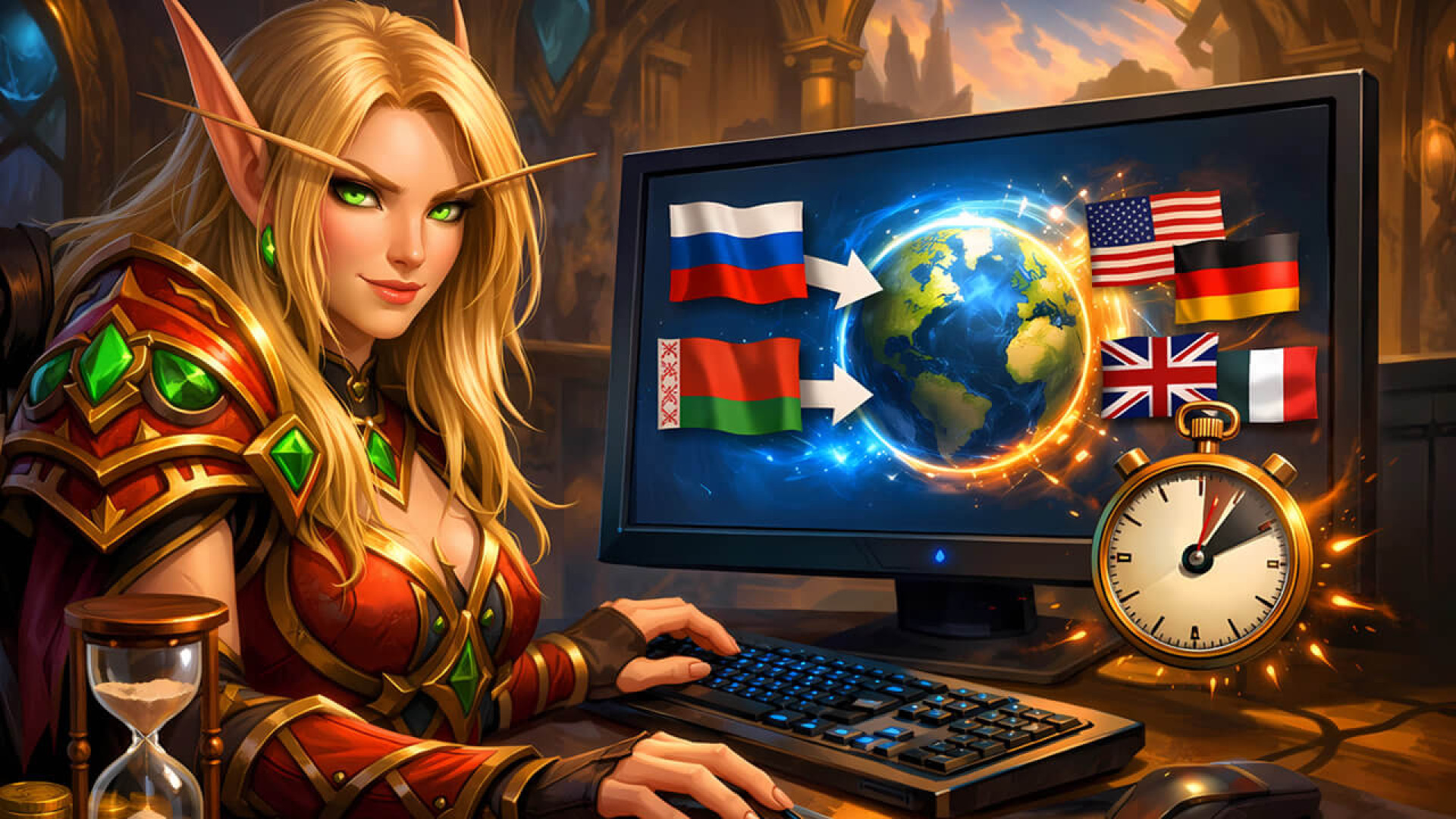

https://raidline.com/image/cache/catalog/blog/articles/blood-elf-guide-changing-battlenet-region-russia-and-belarus-1920x1080.jpg
user image

Changing Your Battle.net Region from Russia & Belarus

  • 12-04-2026
  • |   0 Comments


๐ŸŒš

๐ŸŽฎ RaidLine ยท Guides ยท April 2026

Changing Your Battle.net Region
from Russia & Belarus

The new automated method for 2026 โ€” no support tickets, no waiting, no middlemen.
Full breakdown: which country to choose, how to warm up your account, and what you must not overlook.

โšก 2โ€“3 Minutes ๐Ÿ”„ No Support Needed ๐Ÿ‡บ๐Ÿ‡ฆ Lowest Prices โœ… Russia & Belarus
2โ€“3 minutes to change
region (new method)
5โ€“7 days of account
warm-up via VPN
โˆ’55% savings in Ukraine
region vs EU prices
10/10 completeness
of this guide
๐Ÿ›ก๏ธ
Want someone to handle it for you? RaidLine specialists will change your Battle.net region quickly and with a guaranteed result.
โšก Order Region Change

1Why the Problem Exists โ€” Russia & Belarus

Following the introduction of international sanctions in 2022, Blizzard Entertainment restricted access to its services for users based in Russia (the Russian Federation) and Belarus (the Republic of Belarus). Millions of players who had spent years building their Battle.net accounts were left with severely limited access overnight.

๐Ÿšซ
What's unavailable for accounts registered in Russia or Belarus
Purchasing new Blizzard games (World of Warcraft, Diablo IV, Overwatch 2, Hearthstone, Warcraft Rumble), in-game items, and subscriptions. Phone numbers from Russia and Belarus are also being gradually detached from accounts.

The only realistic solution is to change the registered country on your Battle.net account. In 2026, this has become considerably easier โ€” an automatic method now exists that takes just 2โ€“3 minutes and requires no contact with Blizzard support whatsoever.

โœ…
What you gain after a successful region change
Full access to Blizzard game and content purchases ยท Regional pricing (up to โˆ’55% versus EU) ยท New payment methods ยท Protection from further account restrictions ยท All progress, achievements, and collections remain intact

2VPN with Kill Switch โ€” Why It's Absolutely Critical

To properly warm up your account before the region change, you need a VPN. There is one fundamental point that most players overlook โ€” and it can put their entire account at risk.

๐Ÿ”’ VPN Requirements for Changing Your Battle.net Region

  • Paid VPN only โ€” free VPNs cannot provide a stable or trustworthy connection
  • Kill Switch is mandatory โ€” automatically cuts your internet if the VPN drops
  • Reliable servers in your target country
  • Strict no-logs policy
  • Free VPNs โ€” unsuitable: unstable connections, typically no Kill Switch
  • VPN without Kill Switch โ€” completely useless for this task
  • Browser proxy extensions โ€” do not protect system-level traffic
โš ๏ธ
Why Kill Switch is a hard requirement, not an optional extra
If the VPN connection drops even for a second and no Kill Switch is active, your real IP address from Russia or Belarus becomes instantly visible to Blizzard's servers. This compromises the entire warm-up and region-change process. A VPN without Kill Switch for this task = zero result and a real risk of account suspension.
๐Ÿ’ก
An advanced alternative: set up your own WireGuard tunnel on a VPS in your target country. This is the cleanest and most reliable option for anyone comfortable working with servers.

3Battle.net Wallet Balance โ€” A Crucial Detail Before You Change

This is one of the least obvious yet most important points โ€” and one that the vast majority of guides simply gloss over.

๐Ÿ’ธ
Accounts from Russia and Belarus cannot spend their wallet balance
Due to sanctions, players from Russia and Belarus are unable to make purchases in the Blizzard shop. If there is a positive balance remaining in your Battle.net wallet, spending it through normal means is not possible. Furthermore, a non-zero balance can trigger an error during the automatic region-change process.
โš ๏ธ
What to do about your balance before changing region
Make sure your Battle.net wallet is at zero before proceeding. If you have an existing balance that you cannot spend, the automatic region change may fail with an error. In that case, contacting Blizzard support directly will be necessary.
๐Ÿ”ฌ
Unconfirmed hypothesis: if your wallet balance is denominated in Euros, switching first to a European region (such as France or Germany) may allow you to retain those funds. The reasoning: the account currency and the regional currency would match, reducing the likelihood of an error. This has not been officially confirmed โ€” if you have tested this scenario, please share your experience in the comments.

4New Automatic Region Change Method โ€” Done in 2โ€“3 Minutes

โšก
What makes 2026 different from before
Battle.net region changes are now processed automatically via an official Blizzard form โ€” no tickets, no backstory, no waiting. The entire process takes 2โ€“3 minutes.
1
Choose your target country Important step

Review the country comparison table below. For the lowest prices โ€” Ukraine. For a popular middle-ground โ€” Kazakhstan. For maximum legal protection โ€” France. Your choice will determine game costs and payment options for a long time to come.

2
Confirm your Battle.net wallet balance is zero

This is critical โ€” see Section 3 above. A positive balance may block the automatic switch entirely.

3
Install a paid VPN with Kill Switch and connect

Choose a reputable paid VPN that includes a Kill Switch feature. Connect to a server in your chosen target country. Verify your IP address โ€” it must reflect the target country, not Russia or Belarus.

4
Warm up your account โ€” 5โ€“7 days Recommended

Log in to Battle.net exclusively through your target country's VPN every day. Browse the shop, play games โ€” behave like a genuine user from that country. Five to seven days is sufficient to build a clean IP history.

5
Review your account details

Ensure your first and last name match your real documents. Detach your Authenticator if it is linked to a Russian or Belarusian phone number. Double-check that the wallet balance is at zero.

6
Open the official Blizzard country-change form Key moment

While connected to your target country's VPN, navigate to the official region-change page. Select your new country from the list and confirm. The system processes the request automatically โ€” within 2โ€“3 minutes.

7
Done โ€” set up payment and a phone number

Once your region has changed, new payment methods become available. Top up your balance independently using Visa or Mastercard, or get in touch with RaidLine for assistance. If you chose Ukraine โ€” we recommend obtaining a permanent phone number through RaidLine for complete account verification.

๐Ÿ›ก๏ธ
A precaution worth taking โ€” think through your reason for moving in advance. After the automatic region change, Blizzard support may in rare cases ask for a brief explanation. It's unlikely, but being prepared is always smart: have a plausible reason ready (work, study, family), and know the name of a city in your target country. A calm, considered answer is far better than scrambling for one when asked.

โšก Prefer to let someone else handle it?

The RaidLine team will change your Battle.net region swiftly, securely, and with a guaranteed outcome. Get in touch โ€” we'll take care of everything.

โšก Order Region Change at RaidLine

5Country Comparison: Which Region Should You Choose?

Choosing a country is a strategic decision that affects the cost of every future purchase, available payment methods, and the long-term security of your account. A detailed comparison for players from Russia and Belarus.

Country Price vs EU Popularity (RU/BY) Account Safety Approval Difficulty Currency Rating
๐Ÿ‡บ๐Ÿ‡ฆ Ukraine ๐Ÿ‘‘ Lowest Moderate Medium Moderate Hryvnia (UAH) โ˜…โ˜…โ˜…โ˜…โ˜…
๐Ÿ‡ฒ๐Ÿ‡ฉ Moldova Very low Low Medium Moderate UAH โš ๏ธ unstable โ˜…โ˜…โ˜…โ˜†โ˜†
๐Ÿ‡ง๐Ÿ‡ท Brazil Low Very low Medium High Real (BRL) โ˜…โ˜…โ˜…โ˜†โ˜†
๐Ÿ‡ฐ๐Ÿ‡ฟ Kazakhstan Moderate Very high Medium Low Tenge (KZT) โ˜…โ˜…โ˜…โ˜…โ˜†
๐Ÿ‡น๐Ÿ‡ท Turkey โ‰ˆ95% EU โ†‘ 2026 Very high Medium Low Lira (TRY) โ˜…โ˜…โ˜†โ˜†โ˜†
๐Ÿ‡ต๐Ÿ‡ฑ Poland = EU (100%) Moderate High Moderate Zล‚oty (PLN) โ˜…โ˜…โ˜…โ˜†โ˜†
๐Ÿ‡ซ๐Ÿ‡ท France = EU (100%) Low ๐Ÿ›ก๏ธ Maximum High Euro (EUR) โ˜…โ˜…โ˜…โ˜…โ˜†
๐Ÿ‡ฉ๐Ÿ‡ช Germany = EU (100%) Low High High Euro (EUR) โ˜…โ˜…โ˜…โ˜†โ˜†
๐Ÿ‡บ๐Ÿ‡ธ USA Base price Very low High Very high Dollar (USD) โ˜…โ˜†โ˜†โ˜†โ˜†
โš ๏ธ
Moldova โ€” a hidden instability risk
Battle.net in Moldova currently uses the Ukrainian hryvnia (UAH). This situation is unstable: the currency could switch to the Moldovan leu or Euro without warning โ€” and your costs would shift dramatically overnight. Ukraine is considerably more reliable in this regard.
๐Ÿ“ˆ
Turkey in 2026 โ€” no longer a bargain
By April 2026, prices in the Turkish region have climbed to approximately 95% of EU levels. Blizzard has systematically offset lira inflation with price increases. Choosing Turkey purely for savings in 2026 simply doesn't make financial sense.

6Why Ukraine Is the Best Choice for Players from Russia & Belarus

๐Ÿ‡บ๐Ÿ‡ฆ Ukraine โ€” the clear leader among all Battle.net regions

The Ukrainian region offers the lowest prices in the world on Blizzard games and content. The hryvnia (UAH) is stable without the currency-switch risks seen in Moldova or the inflationary pressure that has eroded Turkey's appeal.

But low prices are only part of the story. By choosing Ukraine, you gain access to an opportunity available exclusively through RaidLine: the ability to obtain a permanent phone number tied to your Battle.net account.

Unlike standard virtual numbers that can be revoked at any time, a RaidLine number operates on a subscription model. This means: as long as your subscription remains active, the number is yours indefinitely. It is securely linked to your account and cannot be taken away or reassigned. This completely eliminates the risk of losing access to your account due to phone verification issues.

๐Ÿ“ฑ Get a Permanent Phone Number for Battle.net via RaidLine
โœ… Advantages of Ukraine
  • Lowest prices across all Battle.net regions
  • Stable UAH currency โ€” no risk of an unexpected currency change
  • Permanent phone number via RaidLine โ€” zero risk of losing account access
  • Moderate approval difficulty for region change
  • Good availability of payment methods in Battle.net
โŒ Disadvantages of Ukraine
  • Geopolitical instability could theoretically influence Blizzard's future policy decisions
  • Mid-tier legal protection (not EU consumer law)
  • Fewer publicly documented case studies compared to more popular regions

7Chart: Regional Price Comparison for Battle.net

๐Ÿ“Š Relative cost of games and subscriptions by region
100% = baseline EU/USA pricing. Data as of April 2026. Ratios shown, not absolute amounts.
๐Ÿ‡บ๐Ÿ‡ฆ Ukraine
โ‰ˆ45% EU
๐Ÿ‡ฒ๐Ÿ‡ฉ Moldova
โ‰ˆ50% EU
๐Ÿ‡ง๐Ÿ‡ท Brazil
โ‰ˆ57% EU
๐Ÿ‡ฐ๐Ÿ‡ฟ Kazakhstan
โ‰ˆ80% EU
๐Ÿ‡น๐Ÿ‡ท Turkey
โ‰ˆ95% EU
๐Ÿ‡ต๐Ÿ‡ฑ Poland
100% EU
๐Ÿ‡ฉ๐Ÿ‡ช Germany
100% EU
๐Ÿ‡ซ๐Ÿ‡ท France
100% ๐Ÿ›ก๏ธ
Very affordable Moderate EU/US baseline EU + maximum protection
๐Ÿ“ˆ Turkey price trend 2022โ€“2026
The Turkish region has been losing its appeal at an accelerating pace.
2022
โ‰ˆ28% EU
2023
โ‰ˆ55% EU
2024
โ‰ˆ75% EU
2025
โ‰ˆ88% EU
2026
โ‰ˆ95% EU

โš ๏ธ The trend is unmistakable. Turkey in 2026 is not a worthwhile choice for savings. We recommend Ukraine.


8Risks and How to Keep Them to a Minimum

The automatic method significantly reduces the overall risk level. That said, there are several factors worth bearing in mind โ€” especially for players based in Russia and Belarus.

๐Ÿ’ธ
Balance loss or region-change error
A positive wallet balance can trigger an error in the automatic process. In some cases, the balance may be cleared automatically during the region switch.
๐Ÿ“ต
Loss of access via old phone number
Russian and Belarusian numbers are gradually being detached from Battle.net accounts. Obtain a permanent phone number through RaidLine before this becomes an issue.
๐Ÿ”ด
Account suspension due to IP leak
If Blizzard detects logins from a Russian or Belarusian IP after the region change, the account may be suspended. Continue using a VPN even after the switch is complete.
๐Ÿ”„
Rare region rollback
In isolated cases, an approved region change may be reversed during a subsequent account review. Maintain clean login logs by continuing to use your VPN.
โœ…
How to minimise all risks
Zero wallet balance ยท 5โ€“7 day warm-up ยท Paid VPN with Kill Switch ยท Real account details ยท Permanent phone number from RaidLine.
๐Ÿ›ก๏ธ
EU regions โ€” legal protection
France and other EU countries offer maximum data protection under GDPR. Arbitrarily suspending accounts in an EU region is significantly more legally complex for Blizzard.

9Alternative: Changing Region via Support

โš™๏ธ Legacy method โ€” submitting a support ticket to Blizzard

Before the automatic method existed, contacting Blizzard support was the only way to change your region. This route still works, but it is significantly slower and more demanding. We cover it here as a fallback โ€” for instance, if the automatic form returns an error (including due to a wallet balance issue).

How it works (old method)

  • Account warm-up โ€” 30 days or more through a VPN connected to your target country
  • Drafting a relocation rationale in English (reason, destination city, timeframe)
  • Opening a ticket with Blizzard support and providing documents that support your claimed new residence
  • Waiting for a response โ€” 3 to 14 working days
  • If rejected โ€” the next attempt cannot be made for at least 30 days
โŒ
Downsides of the old method
No guarantee of approval ยท Weeks or months of waiting ยท 30-day lockout after rejection ยท Risk of suspension from repeated requests ยท Supporting documents required
โœ…
When to use it
If the automatic form returns an error ยท If your wallet has a balance that cannot be voided ยท If you want an additional official confirmation of the region change

10Belarus and Other Countries

๐Ÿ‡ง๐Ÿ‡พ
Republic of Belarus
Based on community experience, the region-change process for users in Belarus (the Republic of Belarus) follows the same steps described in this guide โ€” Belarus is also subject to Blizzard's sanctions. That said, every case is individual. Players from Belarus should approach the process with the same level of care as outlined for Russia.

Similar restrictions may affect users in certain other post-Soviet states. Before taking any action, check the current status of your country on the official Blizzard website.

โš ๏ธ
This guide is based on community experience from players in the Russian Federation and the Republic of Belarus. All information is provided for educational purposes only. RaidLine accepts no liability for the consequences of applying the methods described here.

11Frequently Asked Questions (FAQ)

With the new automatic method, the region change itself takes 2โ€“3 minutes. The recommended account warm-up period via VPN takes 5โ€“7 days โ€” this is advisable but not technically mandatory.
In 2026 โ€” no. The change is handled automatically through an official Blizzard form. Contacting support is only a fallback option if the automatic form fails (for example, due to a wallet balance issue).
Players from Russia and Belarus are unable to spend their balance due to sanctions. If your wallet has a positive balance, this may cause an error during the automatic switch. In that case, you will need to contact Blizzard support. Hypothesis: if the balance is in Euros, attempting to switch to an EU region (France, Germany) first may help you retain it.
Russian and Belarusian phone numbers are being progressively detached from Battle.net accounts. Standard virtual numbers can be revoked at any time โ€” that means a real risk of losing access. A RaidLine number operates on a subscription model: as long as your subscription is active, the number is exclusively yours and cannot be transferred to anyone else. This completely removes the risk of losing your account through phone verification problems.
Yes. Changing your region has no effect on your in-game progress, achievements, WoW characters, Hearthstone collections, or any other account content. Only your regional assignment and available payment options change.
According to community feedback โ€” yes, the process is the same for Belarusian players. There are no guarantees, and every case is individual. Account warm-up is strongly recommended.
There is no strict obligation โ€” many players log in without a VPN after the switch. However, to minimise the risk of a region rollback, we recommend continuing to connect via your target country's VPN for the first few months.
๐ŸŽฎ

Ready to change your region?

Open the official Blizzard form โ€” the change takes 2โ€“3 minutes. Make sure your VPN with Kill Switch is active, your wallet balance is at zero, and your account is warmed up.

โš ๏ธ Always use a paid VPN with Kill Switch.

Blog Tags

0Comments

For Comment you need to Login

โš”๏ธ Did this article help? Support RAIDLINE!

โค๏ธ Even 1 dollar is a signal: "keep going." Youโ€™re contributing to the projectโ€™s growth.

๐Ÿ’™ Support via PayPal

๐Ÿง™ No ads. No copy-paste. Only honest content and community support.


๐Ÿ”ฅ EXCLUSIVE WoW SERVICES โ€“ FAST & SAFE! ๐Ÿ”ฅ

Gold

โšก Instant Delivery 2-3 min

Buy Now

Raids

โš”๏ธ Start in 20-30 min

Buy Now

Mythic+

๐Ÿ’€ Any Difficulty Mode

Buy Now

PvP

๐Ÿ† Play with Gladiators

Buy Now

Coaching

๐ŸŽฎ Learn from real boosters

Buy Now
โœ… 100% Safe โ€“ No Bots | โญ Trusted by 10,000+ Gamers | ๐Ÿš€ Instant Delivery!